

1·
17 days agoCan’t answer sorry
Can’t answer sorry
Comparison of self hosted photo library https://github.com/meichthys/foss_photo_libraries

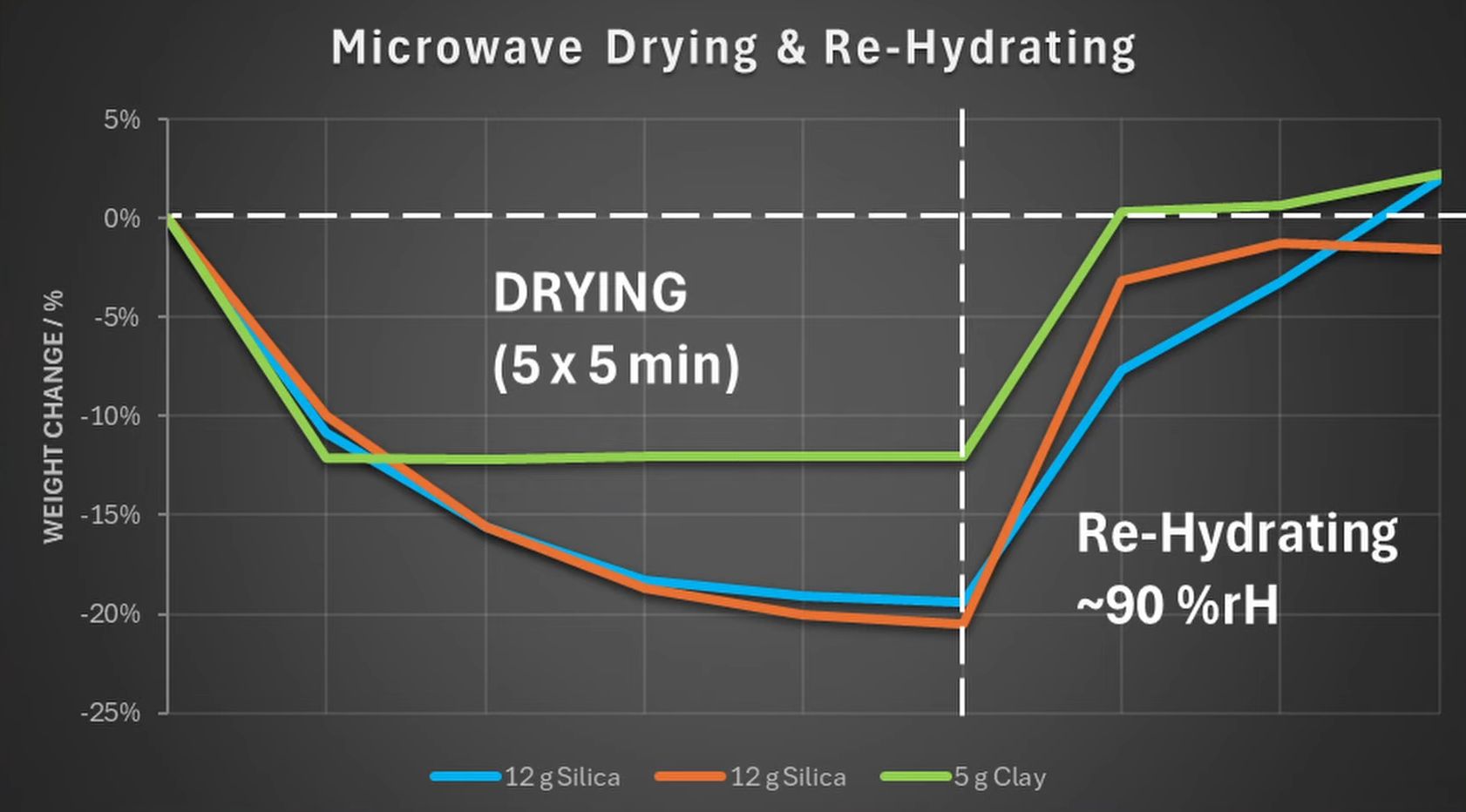
Long time I haven’t ordered any creality filament but they were not great few years ago, hopefully they are better now. Filament is sensitive to humidity, store in a dry place especially open spools. If you pinch filament in half and it breaks, that means it is really humid and you will have some printing issues, if so you need to dry filament. Another advice unrelated to filament is to watch some videos to learn how to operate, maintain,… The more you watch, the better. Get in some discord forum for ender 3 or creality printers so you can get some help from people who owns same printer.
I can’t remember any name but search for f2f (friend to friend) p2p. Basically a private way to share files over p2p to limited people you have accepted without any use of tracker like P2P use
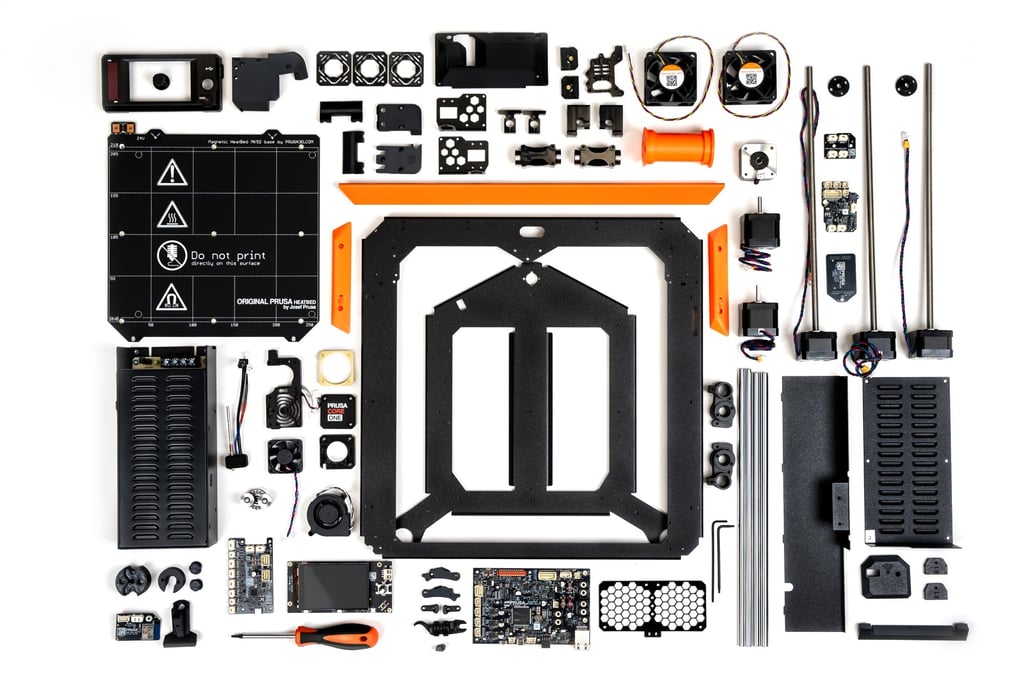
Here is a part of the kit to give you an idea
One or two hours? Sorry but I don’t think you realise exactly what’s need to be done here. It’s not like some other kit which are partially assembled, and the assembly process is probably the main key part to get very good print quality. Can’t recall how often I’ve seen people trying to diagnose some print errors while the issues were not due to calibration or settings but due to assembly, so being focus and taking all the time you need for this process is crucial as it isn’t like assembling some IKEA furniture. Does 30 ish hours sounds a lot, yes but if it the time that person needed to do things correctly because of its lifestyle and knowledge/confidence, that’s perfectly fine. Would some other do it in way less time? Sure, but maybe they have mount several before and know exactly all the key points to look out, they will recognise every single piece on one sight and will need way less time to think about the next step and how to do it correctly.
Might not help you a lot to decide but something to take into consideration… While bambulab printer is close to plug and play (can’t talk for there others you mentioned), because of closed source, finding fixes to some issues can be sometimes problematic. You can find documentation but way less than other printers as they hide a lot of knowledge…
Your friend may not have issues with it yet but it if you go on bambu lab discord server, you will see that many people are having issues. What I mean is all printers can have a lot of different issues so don’t believe that if you take a p1s, you won’t have any problems. 1 person may not have much issues for a long time but meanwhile 10 people will struggle.
By the way, some may think “another bambulab hater blablabla” while reading my comment but I have 3 printers and one of them is an A1, so no, I’m not a hater, overall I like it but that will be my last bambulab printer for sure.
One issue I know on another printer was the back button creating a short. Do you have a meanwell PSU on your V2? If I recall properly it came either with one or another brand that wasn’t as good. So if I were you, I would change the back switch and get a meanwell PSU.
Additionally, use a smart smoke sensor just in case anything goes really wrong.
+1 those are really great. And should be just below 150
I’m sorry, i was tired and mixed up things… What I meant is if you have a glass bed (undestroyed), you can use blue tape to print petg. It will help if you want to keep a glass bed to maintain a flat surface unlike others build plate which are more flexible.
This or put blue tape on a glass bed if you can’t wait for the delivery
AI aside, I disagree with you. I’ve seen in past people with modelling knowledge posting stuff (openscad, stl…) without having a 3d printer and to me, that wasn’t an issue as long as they specify it in description (most of time they did), they would also take advice IF they were printing issues and would fix it. So yes, I could lost a bit of time and filament but nothing compares to the time those people invested to share/give away their work to the world while they were not even in a position to print their own stuff.
Blaming site is an easy solution, but let’s be honest. If they were to verify everything uploaded+description, we would end up with ads everywhere, click baits making site unusable or paid subscription…
Let’s not forget that 3d printing/printer has grown thanks to people sharing their knowledge and failures. If I have to fail a print because I’m lacking on modeling and therefore depends on others people work, that’s not a problem, I’m just there doing my part and giving feedback so we can build something better all together.
Looking again at your pic and wonder if part tilted while printing due to small area on bed. If it did, adding manual support to the print would help to stabilise as it goes up. Only thing is, that doesn’t explain why there is filament on the right of the picture.
Did you check preview mode on slicer? Do you use your own settings? Is purge line always that long?
Most site (not stl search site) have “collection” or “tags”, when you find something you like, check if it under some collection/tag.
Exemple: https://www.thingiverse.com/search?q=Hand+tool&page=1&type=collections

Complementary guide
I have 3 printers and first was the OG ender 3 pro with only couple of mods (mainboard and cooling duct/fan), while it is slower and needs more manual calibration, I get same print quality than bambulab A1. It is actually even better on overhang parts
I am mainly reading on iPad due to screen ratio, I’m self hosting yacreader library and use yacreader app (server is free, app is one time payment on iPad, does have an android/windows client but not developed as iOS version). If I remember correctly, I think there is also Panel on ipad that do the same (would need to check). On android, I need to check and can answer tomorrow (almost 1am here), could be cdisplayex but unsure.
i don’t know any on computer but some app offer that on android/ios. i guess they look for some kind of contrast pattern to determine each frame.
Did try and it does work really well on some but not all garphics novel / comics

If you can’t find what you are looking for, try using blue painters tape or glue stick