
As a virtualization engineer, I work with VMware products (Now owned by Broadcom) to design and implement virtual infrastructure. This allows organizations to run multiple virtual machines on fewer physical servers, which enhances scalability and simplifies backup and recovery processes. Think of it as creating a digital version of a computer that can be easily adjusted and moved around.

- 0 Posts
- 11 Comments
Joined 2 years ago
Cake day: December 14th, 2023
You are not logged in. If you use a Fediverse account that is able to follow users, you can follow this user.
Virtualization Engineer. Finally doing what I am passionate about. I was a stock broker 10 years ago. It was a crazy ride.
 2·2 years ago
Glad I could help! 😃
Ok, I grabbed a few screen shots for you as well. Here is a site that will link you to MEBx setup that enables AMT: http://h10032.www1.hp.com/ctg/Manual/c03883429
When power on your ProDesk G3, you can access the MEBx setup by pressing Ctrl+P or they also say F6 or Escape will get you there. Intel AMT runs on a different IP address than what your OS gets. You can assign DHCP or a static IP address and setup your admin password. You can then access the portal from http://ipaddress:16992 There should be a method of access what would show on the screen through a KVM like access but I use MeshCentral for that so I couldn’t tell you how to do it without.
Hopefully, that gives you a start. Feel free to reach back out if you have any questions. Thank you!
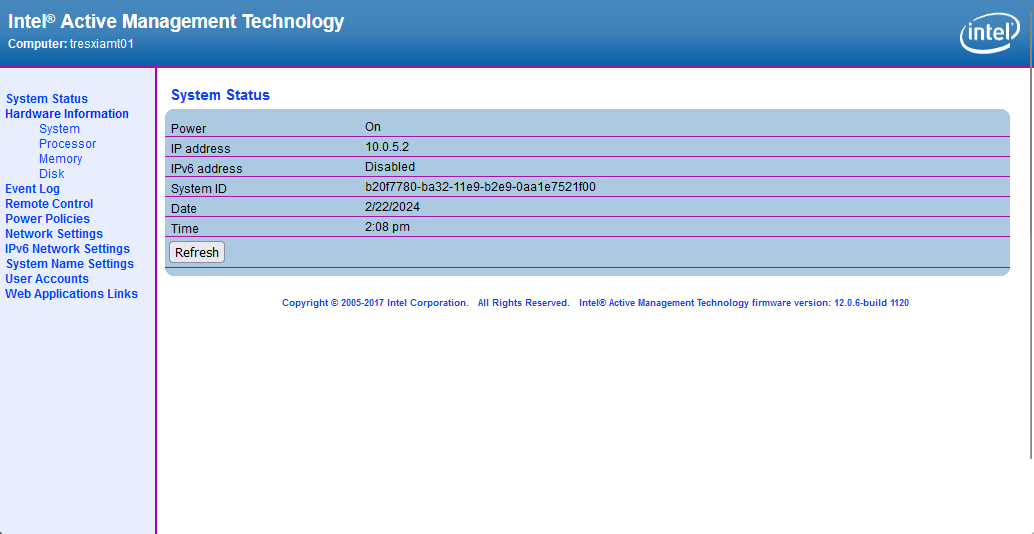

I’m not in front of my computer atm, but I think I have something that can help you out. I have a 3-node Lenovo Thin client cluster that I manage their KVMs using the Intel vPro. I even went a step further using MeshCentral running on a VM to centralize my KVM access since I have 3 of them, but that’s another story.
Anyway, I’ll see if I can grab you some URLs in the morning if someone else doesn’t beat me to it or you find it on your own running google queries.
 22·2 years ago
2024 - Mexicans at the border (you know it’s already happening)
3-Node ESXi cluster with 10 Debian VMs, 3 Windows VMs, and one FreeBSD VM
deleted by creator
They call it a tcpdump but Wireshark analyzes all network traffic. You can use the udp.port == 51820
Do you have a laptop? Probably more tools and easier to test from there.
Meant to say if you still get stuck, run Wireshark on your FW and your VPS and run a tcp dump and filter the traffic to see where the data stops.
You can also use traceroute to your public IP on the port 51820 and check your connectivity or even curl: -v http:////publicip:51820
Did you setup a NAT on the firewall? You have to setup a static NAT on the interface that your Public IP sits on and to the private IP address of your VPS (you are using a private network space from one of the other interfaces on your FW right?).
Make sure that the policy that you create with the NAT includes UDP 51820 (unless you changed the default port) People often mistake using TCP which is a different protocol. If that doesn’t work, then look at the traffic on your FW
You aren’t a moron at all. If you haven’t been exposed to it I wouldn’t expect you to know what it is.
So virtualization is kind of like taking multiple computer operating systems and running them on one physical server. So instead of needing a physical server for each system, you can run dozens. Then you can have clusters of physical machines that are running hundreds of virtual machines (computers) per cluster.